How to enable Fast Peak Center (FPC)
The Fast Peak Center (FPC) enables the user to complete a peak center during an acquisition which contains a single or multiple species changes. This will assist in preventing a saved tuning setting from drifting off-peak which would then affect the ratios obtained.
-
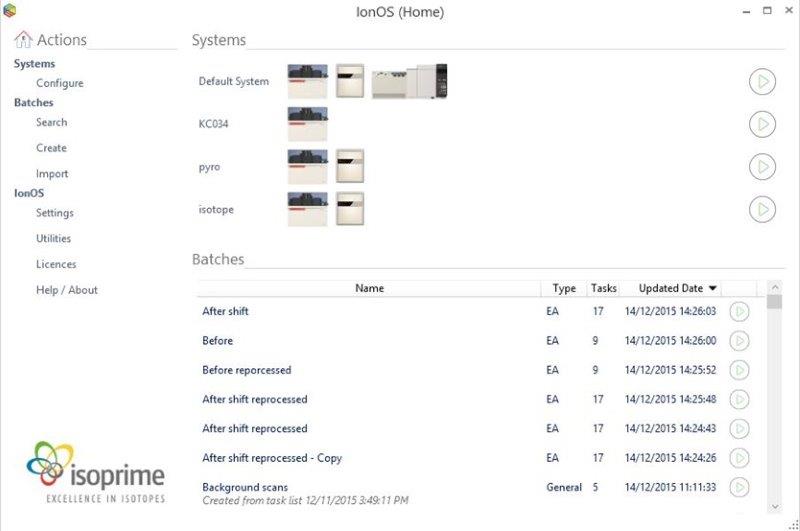
Open the IonOS home page
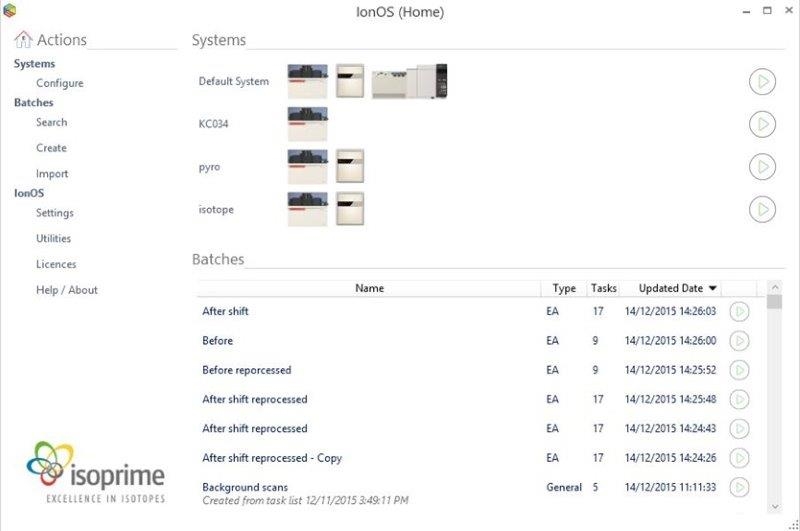
Figure 2-40: IonOS Home Screen
-
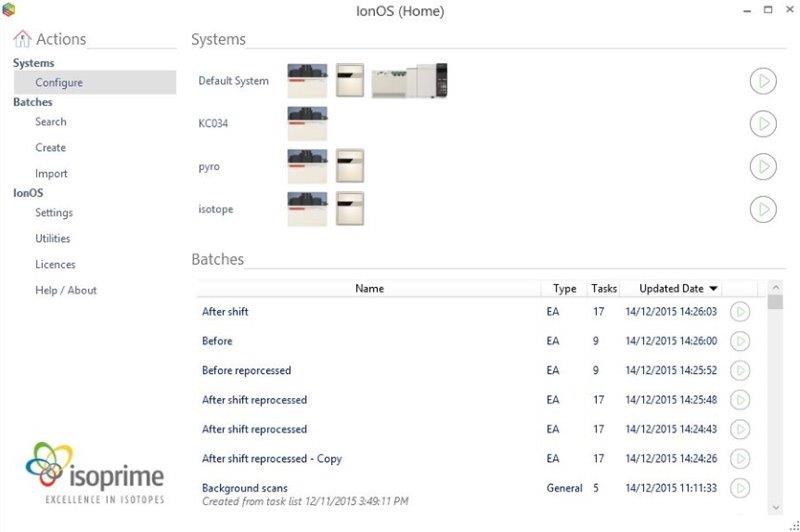
Select Home > Actions > Systems > Configure
-
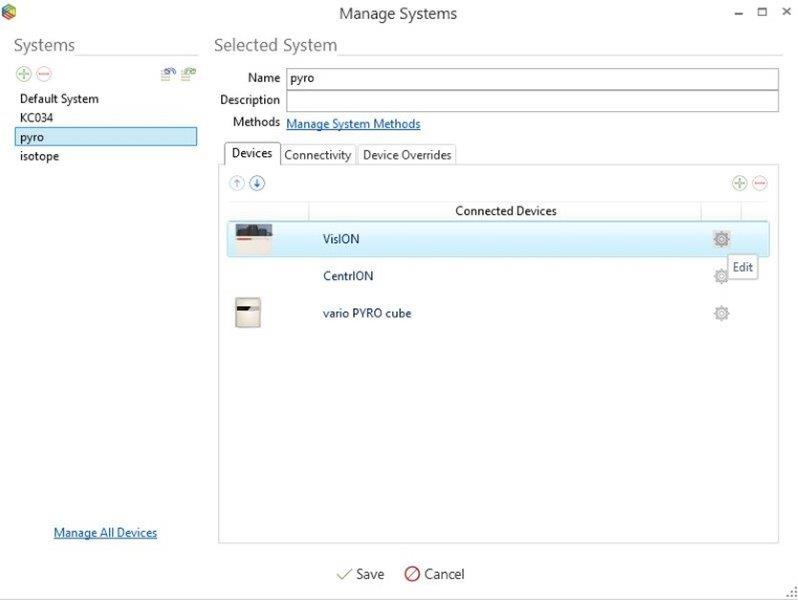
Select the system that you want to enable the FPC.
Click the Edit Settings button next to the isoprime visION / precisION.
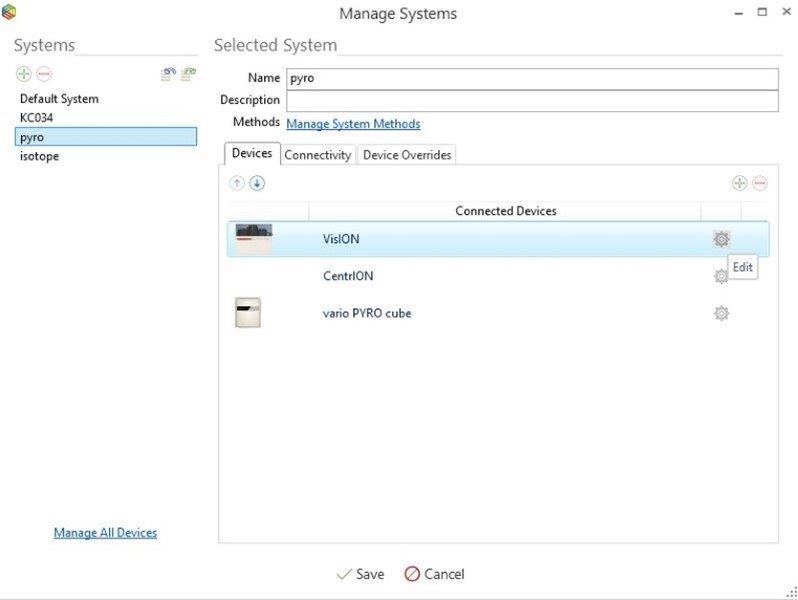
Figure 2-42: Editing the isoprime visION / precisION device settings
-
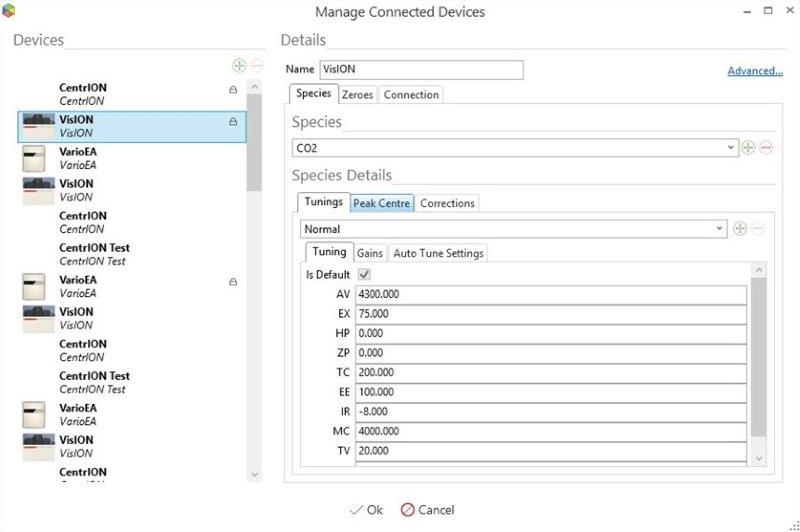
Select the Peak Center tab.
The settings are stored per species. Change the selected species in the Species drop-down to change the settings for another species.
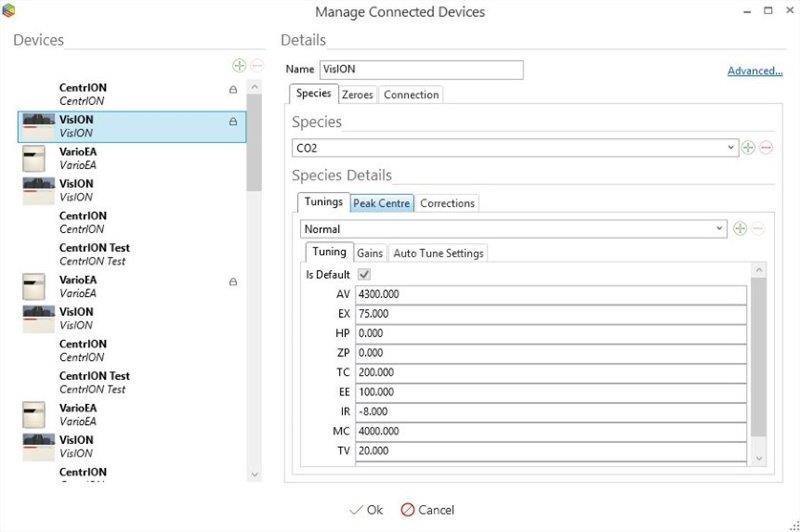
Figure 2-43: Editing the Peak Center settings for a particular species
-
Enable FPC by checking the "Enable Fast Peak Center (FPC)" option.

Figure 2-44: Enabling the Fast Peak Center
-
Set timings. The FPC should be optimized to work precisely at the right moment when changing the species and flushing the monitoring gas.
Figure 2-45: Customizing the Fast Peak Center settings
After flushing the monitoring gas, the pressure will be restored to its normal value. After waiting a defined amount of time ("Number Of Seconds After Pressure Restoration Before FPC"), the FPC will begin. When the FPC begins, the monitoring gas will turn off instantly (by default, as it will take some time for the monitoring gas to disappear). This behavior can be changed by changing the "Number Of Seconds After Start FPC To Turn Valve Off" parameter.